
Vehicle Modifications
Revamp Your Ride: Upgrade the Infotainment in Your 15-Year-Old Car

Upgrading your infotainment system in a 15-year-old Land Rover Discovery can breathe new life into your beloved vehicle. Imagine cruising down the highway with all the modern conveniences of a new car, right at your fingertips. With the right infotainment upgrade, your Discovery 4 can transform from a trusty old friend into a tech-savvy companion, making each drive more enjoyable and convenient. Whether you're looking to integrate Apple CarPlay, enhance your navigation capabilities, or simply enjoy a more modern driving experience, we've got you covered. Let's dive into the world of infotainment upgrades and see how they can revolutionize your driving experience!
Why Upgrade Your Infotainment System?
Upgrading your infotainment system isn't just about keeping up with the latest trends; it's about enhancing your driving experience and adding value to your vehicle. The infotainment system acts as the command center of your car, controlling everything from music and navigation to climate settings and connectivity options. For older vehicles like the Land Rover Discovery 4, upgrading the system can significantly improve functionality and convenience.
The Benefits of a Modern Infotainment System
Modern infotainment systems offer a wide range of features that older models simply can't compete with. These include:
- Smartphone Integration: Seamlessly connect your smartphone with Apple CarPlay and Android Auto, allowing access to apps, calls, and messages without distractions.
- Enhanced Navigation: Enjoy real-time navigation with traffic updates and points of interest, eliminating outdated maps.
- Voice Recognition: Use simple voice commands to control your car's functions, reducing distractions and enhancing safety.
- High-Resolution Displays: Experience crisp, clear visuals on a touchscreen display that simplifies navigation through menus and maps.
To further illustrate these benefits, consider the experience of Sarah, a long-time Land Rover enthusiast. After upgrading her Discovery's infotainment system, she found her daily commute more enjoyable and efficient. "The real-time navigation helped me avoid traffic jams, and the hands-free calling kept me connected to my family without compromising safety," she shared.
Choosing the Right Infotainment System for Your Land Rover Discovery
When upgrading your Land Rover Discovery's infotainment system, it's crucial to choose one that meets your needs and integrates well with your vehicle. Here's a guide to help you make an informed decision.
Understanding Your Options
There are several aftermarket infotainment systems available for the Land Rover Discovery 4, each offering different features and price points. Some popular options include:
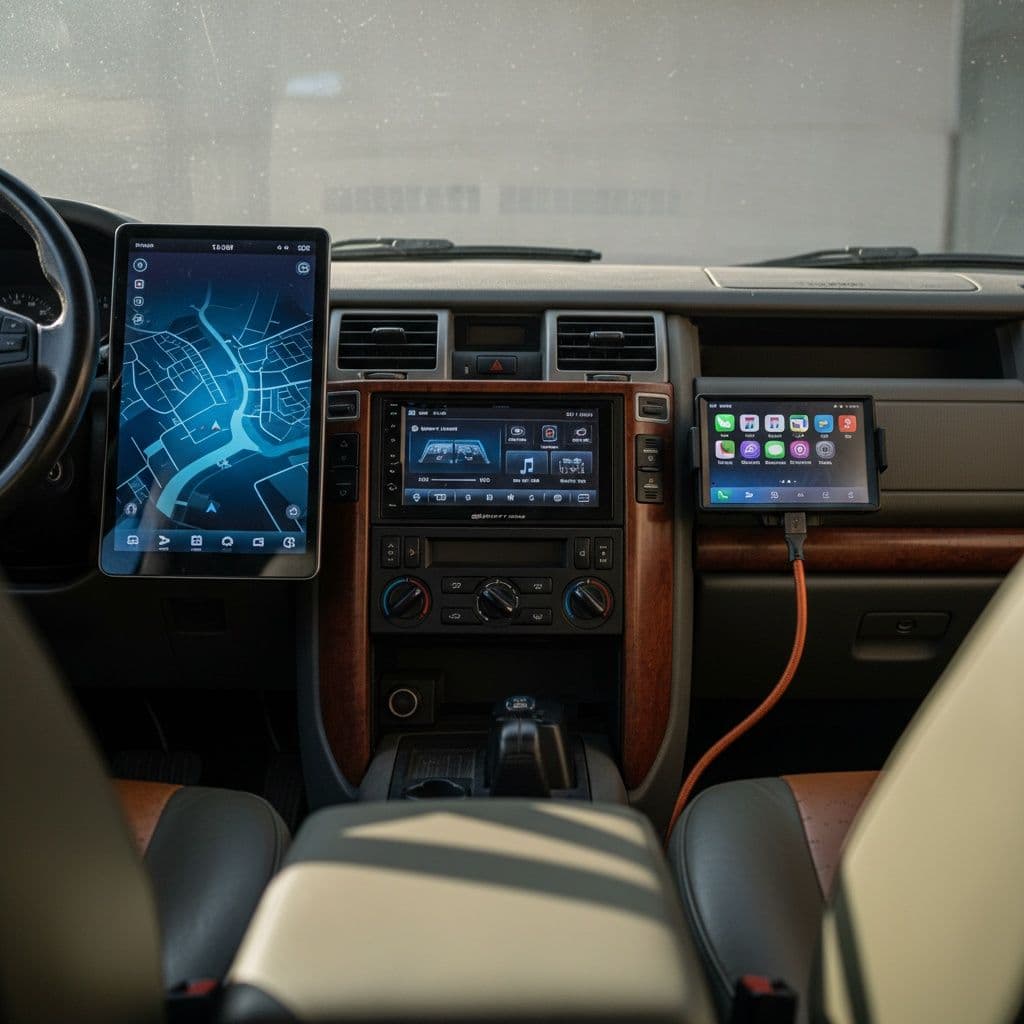
- Tesla-Style Screens: Large, vertical displays providing a modern look and feel, featuring Apple CarPlay and Android Auto for seamless integration.
- SMARTY Trend Android Head Units: Systems that maintain the original factory look while offering modern features, including wireless CarPlay and Android Auto, navigation, and more.
- Standard CarPlay Systems: For those who prefer a traditional look, these systems offer CarPlay functionality without drastically changing the dashboard's appearance.
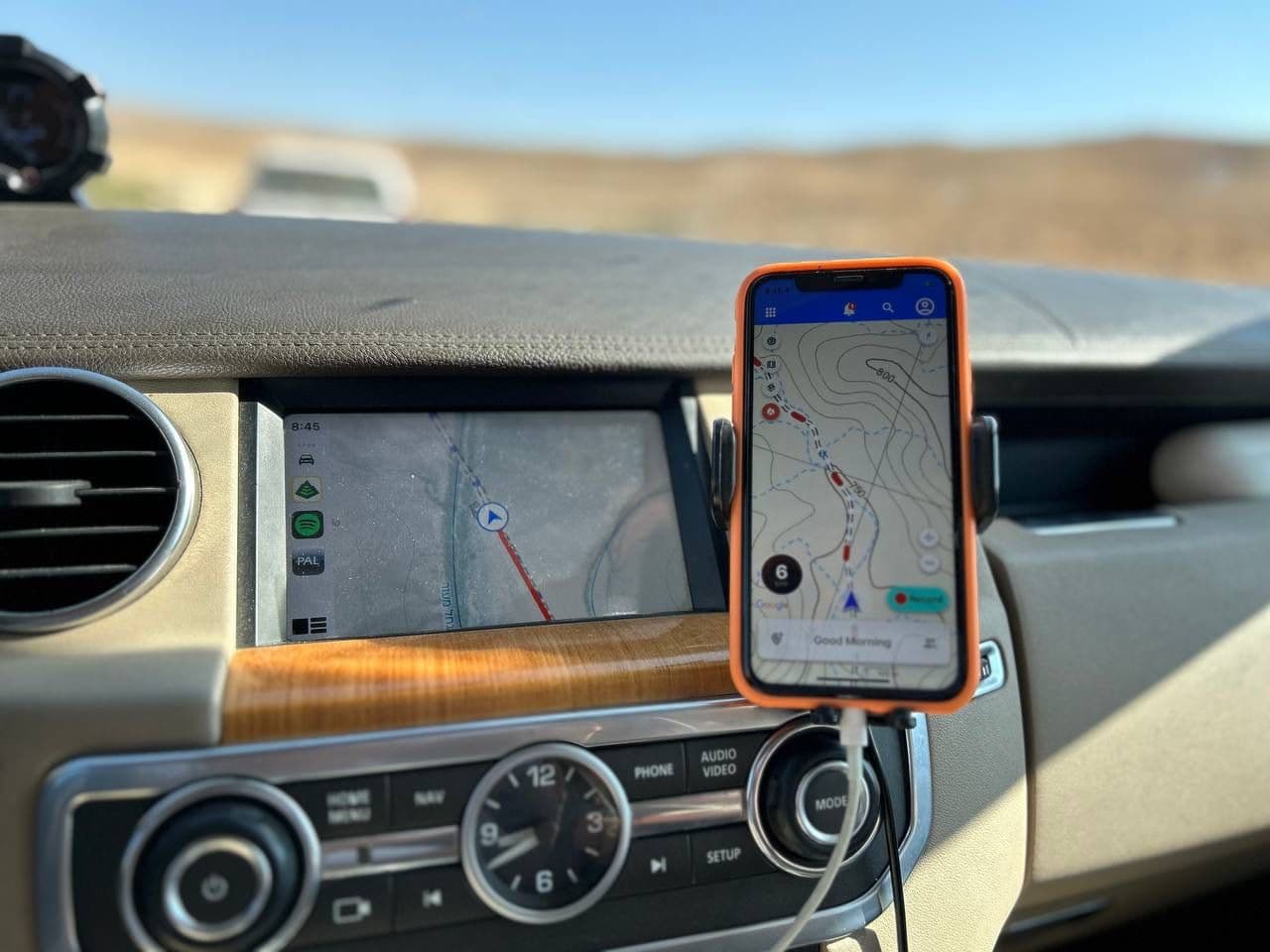
You can check out a comparison of several solutions in Add Apple CarPlay / Android Auto to your Land Rover
Factors to Consider
When selecting an infotainment system, consider the following factors:
- Compatibility: Ensure the system is compatible with your vehicle's make and model.
- Features: Decide which features are most important to you, such as navigation, smartphone integration, or enhanced audio controls.
- Installation: Determine whether you'll install the system yourself or hire a professional. Some systems offer plug-and-play installation, while others may require more expertise.
Making an Informed Choice
Choosing the right system can be daunting. To help, let's compare the SMARTY Trend Android Head Unit and a Tesla-Style Screen. The SMARTY Trend is ideal for those seeking an OEM appearance, offering features like wireless CarPlay at a mid-range price. In contrast, the Tesla-Style Screen is perfect for enthusiasts eager for a more futuristic look with its expansive display. Both options have their merits, and your choice should reflect your personal style and functional needs.
How to Upgrade Your Land Rover Discovery Infotainment System
Upgrading your infotainment system can be a rewarding DIY project or a task for a professional installer. Here's a step-by-step guide to help you through the process.
Step 1: Gather Your Tools and Equipment
Before you begin, make sure you have all the necessary tools and equipment. This may include:
- The new infotainment system
- Screwdrivers and wrenches
- Trim removal tools
- Wiring harness adapters
- User manual for installation instructions
Step 2: Remove the Old System
Carefully remove the old infotainment system from your vehicle. This typically involves:
- Disconnecting the battery to prevent electrical shorts.
- Removing trim panels and screws holding the head unit in place.
- Disconnecting wiring harnesses and antennas.
Step 3: Install the New System
Follow the installation instructions provided with your new infotainment system. This generally includes:
- Connecting the wiring harness adapters.
- Securing the new head unit in the dashboard.
- Reconnecting the battery and testing the system.
Step 4: Test the System
Once installed, thoroughly test the new infotainment system to ensure all features are working correctly. Check:
- Touchscreen functionality.
- Audio quality and controls.
- Navigation and smartphone integration.
- Any additional features like rear cameras or voice recognition.
DIY Tips for a Smooth Installation
- Label Your Wires: Before disconnecting the old system, label each wire with masking tape to ensure a smooth reconnection.
- Take Photos: Use your smartphone to take pictures of the setup before dismantling anything. This can serve as a reference during reassembly.
- Follow the Manual: Always refer to the manufacturer's manual specific to your system model for any nuances in installation.

Best CarPlay Systems for Land Rover Discovery 4
With so many options available, choosing the best CarPlay system for your Land Rover Discovery 4 can be overwhelming. Here are some top picks based on functionality, price, and user reviews.
Tesla-Style CarPlay Screen
The Tesla-Style CarPlay screen offers a sleek, modern look with its large vertical display. Priced at around $1,190, it provides features like Apple CarPlay and Android Auto, making it a popular choice for those looking to modernize their vehicle.
SMARTY Trend Android Head Unit
For those who prefer an OEM look, the SMARTY Trend Android head unit is a fantastic option. It offers wireless CarPlay and Android Auto, along with a host of other features like navigation and a complimentary Full HD DVR. Priced at $580, it's an affordable choice for many.
Standard CarPlay Systems
For a more traditional look, standard CarPlay systems offer the functionality of CarPlay without the drastic dashboard changes. These systems are typically more affordable and easier to install.
Real-World Comparison
Consider the choices of John and Emily, two Discovery 4 owners. John opted for the Tesla-Style Screen, drawn by its expansive display, while Emily chose the SMARTY Trend for its cost-effectiveness and factory look. Both reported significant improvements in their driving experiences, highlighting how personal preferences can guide the best choice for each driver.
Infotainment Upgrade Benefits for Older Vehicles
Upgrading the infotainment system in an older vehicle like the Land Rover Discovery 4 has several benefits beyond just new features.
Enhanced Driving Experience
A modern infotainment system can drastically improve your driving experience by providing:
- Real-time navigation.
- Seamless smartphone integration.
- Access to entertainment options.
Increased Vehicle Value
Investing in an infotainment upgrade can increase the resale value of your vehicle, making it a worthwhile investment for those considering selling their car in the future.
Safety Improvements
Features like voice recognition and hands-free controls reduce distractions and improve safety on the road, allowing you to focus on driving while still enjoying the benefits of modern technology.
Addressing Common Concerns
A frequent concern among vehicle owners is the potential loss of classic car charm. However, modern infotainment systems are designed to integrate seamlessly, preserving the original aesthetic while adding contemporary convenience. For those hesitant about altering their vehicle's appearance, opting for systems like the SMARTY Trend can maintain that classic look.
User Experiences with Discovery 4 CarPlay Installation
Hearing from others who have upgraded their Discovery 4 can provide valuable insights and help you make an informed decision. Here are some user experiences and tips.
Community Insights
Engaging with forums and online communities can provide firsthand accounts of infotainment upgrades. Many users share their experiences, installation tips, and any challenges they faced during the process.
Professional Installation Advice
For those not comfortable with DIY installations, professional installers can ensure a seamless upgrade. Many users report that professional installation provides peace of mind and guarantees that the system functions correctly.
Case Study: A Seamless Transition
Take the story of Mike, who shared his experience on a popular Land Rover forum. Initially daunted by the upgrade process, he opted for professional installation. Mike highlighted how the experts not only installed the system efficiently but also provided a brief tutorial, making the transition smooth and stress-free.
Affordable Infotainment Upgrades for Land Rover
While some infotainment systems can be pricey, there are affordable options available that provide excellent value for money.
Budget-Friendly Options
Consider systems like the SMARTY Trend Android head unit, which offers a range of features at a reasonable price. Additionally, looking for sales or discounts can help reduce costs.
DIY Installation
Opting for a DIY installation can save money on labor costs. With a little patience and the right tools, many owners find that installing an infotainment system themselves is a manageable and rewarding task.
Maximizing Value
To maximize the value of your investment, consider purchasing a refurbished unit or exploring second-hand markets. These options can provide high-quality systems at a fraction of the original cost, making high-tech upgrades accessible to more budgets.
Common Pitfalls and How to Avoid Them
Upgrading your infotainment system can come with its challenges. Here are some common pitfalls and how to avoid them:
Compatibility Issues
Solution: Before purchasing, double-check that the system is compatible with your Discovery 4's make and model. Consult both the car manual and the infotainment system's specifications.
Installation Errors
Solution: If you're not confident with wiring and installation, consider hiring a professional. Improper installation can lead to system malfunctions or even damage to your vehicle's electronics.
Overlooked Features
Solution: Make a checklist of essential features before shopping. This ensures you select a system that meets all your needs, preventing post-installation regret.
Check out our full review in Add Apple CarPlay / Android Auto to your Land Rover.
Frequently Asked Questions (FAQs)
How do I upgrade the infotainment system in my Land Rover Discovery?
To upgrade your infotainment system, choose a compatible aftermarket system, gather necessary tools, remove the old unit, install the new one, and test all features.
What are the best CarPlay systems for the Discovery 4?
Popular options include the Tesla-Style CarPlay screen for a modern look and the SMARTY Trend Android head unit for an OEM appearance, both offering excellent features.
What are the benefits of upgrading an older vehicle's infotainment system?
Benefits include enhanced driving experience, increased vehicle value, improved safety, and the ability to maintain the classic aesthetic of your vehicle.
Conclusion
Upgrading the infotainment system in your Land Rover Discovery 4 can transform your driving experience, making your vehicle feel brand new. By choosing the right system, considering installation options, and understanding the benefits, you can enjoy a modern, connected driving experience without the expense of a new car. Whether you opt for a Tesla-style screen, a SMARTY Trend Android head unit, or a standard CarPlay system, the possibilities are endless. So why wait? Take the first step toward revolutionizing your drive today!
Remember, the journey of upgrading your infotainment system is as exciting as the destination. Embrace the adventure and enjoy the enhanced driving experience that awaits you!
Check out our full review in Add Apple CarPlay / Android Auto to your Land Rover.
Community
Join the conversation
No comments yet. Be the first to share your thoughts!
Leave a comment
Keep tinkering
More adventure experiments

Sunroof Drainage Woes: Solving Land Rover Discovery 3 & 4 Leaks
Uncover the secrets to fixing sunroof leaks in your Land Rover Discovery 3 or 4. Don’t let a little water dampen your adventures—read on for solutions!

Dead Battery Lockout: 7 Ways to Unlock Your Car
Stuck outside your car? Don't panic! Discover 7 clever ways to unlock your car and regain access to your belongings. Ready to get back on the road?

The Ultimate Guide to Seasonal 4x4 Trail Adventures: Finding Your Perfect Off-Road Time
Discover the thrill of seasonal off-roading! Each season offers unique adventures and challenges—are you ready to find your perfect 4x4 trail experience today?"